Saturday, January 05, 2008

Converting .mov to .swf for Mac

In a previous post, I discussed my purchase of two screencast programs. One of them was kind of cumbersome, and the other one was easy to use, but did not output to .swf. I almost spent another $65 for a new program that was easy to use and outputted to .swf (Screen Mimic). Moments before I clicked "buy," a friend suggested I look for a program to convert my Quicktime files to Flash.

It was like a door was opened for me, leading to vast golden fields reflecting the late summer sun... OK, maybe I am being a bit melodramatic, but I was really excited. This means that I could record a silent screencast in iShowU, then import the Quicktime into iMovie 06 to edit the video and add voiceovers at my leisure. I had been frustrated that one stutter or misspoken word in a screencast often necessitated starting over.

So I found a blog post about converting Quicktime files into Flash which also had a tutorial for Mac users interested in using the (free) program FFMPEGX. However, this program only converts to FLA and there is a whole other process to be able to play it on the internet.

I need something simpler.

Video to Flash Converter 5.7 seems to be a popular choice, but it also seems to only work with Windows, despite what some sites claim. In fact, there seems to be no shortage of shareware for Windows use. I was getting discouraged.

Finally, I found Video2Swf which, ironically, is produced by the same company that makes Screenography. For $45 (on "sale") it seems to be a good choice. It even allows you to chose from a number of players to embed your video. (The Luddite in me enjoyed choosing the pretty designs.) The demo was clear and easy to use. (The demo puts a watermark across the middle of your output file.) Here's my first demo sample (a video inspired by a 2006 school trip to Europe):


Thursday, January 03, 2008

iTunes is More Than Just Music

I have to admit, I haven't been keeping up with all the developments of iTunes. For years, I have used it as a great way to purchase music. But a recent article reopened my eyes to the wonderful host of resources within the iTunes store.
He is part of a new generation of academic stars who hold forth in cyberspace on their college Web sites and even, without charge, on iTunes U, which went up in May on Apple’s iTunes Store.
This inspired me look past the search bar in iTunes and to create a list of the coolest things I found that are not music (in no particular order). You will notice, however, that the list is heavily biased towards science. :)

1. Scientific American 60 Second Science Video Podcast - complex ideas broken down into a managable 1 minute segment
2. How Stuff Works - one of my favorite websites - now a podcast!
3. VH1 Best Week Ever - when I gave up my TV, I only missed VH1 and the Discovery Channel. Now I can catch one of my favorite "guilty pleasure" shows. (Totally non-academic)
4. Teacher 2.0 (a group of educators who want to share ideas about using technology to help prepare students for the 21st century. "We're tired of preparing them for the Industrial Age.")
5. National Geographic - Wild Chronicles - cool short video segments on topics like the zoo dentist.
6. iTunes U (I just downloaded a couple lectures from Stanford on Global Warming)
7. KQED Public Broadcasting (QUEST in Northern California) - video segments on topics such as earthquakes, the physics of baseball, forensic science and nanotechnology. You can also download the corresponding educator guides!

For every topic I type in, there are free podcasts and videos. There are tutorials for things like Final Cut Pro and screencasts. And I haven't even started with the music videos yet. (Another unfortunate loss when I gave up my TV.) If you haven't checked iTunes out lately, look a little deeper than your music library.

Wednesday, December 26, 2007

Screencast for Mac

So, I was inspired to create some tutorials, and needed to find a program to create screencasts. (What's a screencast? Check out articles in InfoWorld (2005), O'Reilly (2005), and see some fancy examples on the Apple site.)

A friend found me a very helpful blog post entitled Mac Options For Capturing A Video of Your Screen. "Brian" reviews a few options for screen capture, and I decided to give them a try myself, plus check out another program Screenography. All of these programs have free demos. They also all have similar customizable screen capture sizing and hot buttons.

Here is what I found:

App #1: Screen Mimic 2.2.1
Price: $64.95
Demo: 30 second movies only with a watermark on video recording

This was my favorite and by far the easiest to use, however, it is also fairly expensive. Screen Mimic allows you to save your project as Adobe Flash (SWF), Flash Video (FLV), or Quicktime (MOV) files. The encoding seems fairly quick and the quality of the video is excellent. I also like the idea, as "Brian" blogged, that you get a second chance to encode a selection if you change you mind.

Brian's issue with this program (in 2006) was the lack of audio recording. I can only imagine that the $24.95 version he reviewed lacked the audio options this more expensive version now has.

App #2: iShowU
Price: $20
Demo: Large green text on video recording

Somewhat more complex to use, but still fairly easy. There are a variety of presets, but at my level of experience, this is not a great help to me. I do like that you have the option to slow the capture rate when your mouse is not moving, which helps keep the file size down. The encoding is immediate, although you do not have a Flash option.

For $42, you can bundle iShowU with Stomp, a program which allows you to compress, crop and apply affects to your videos.

App #3: Screenography 1.013
Price: $39.95 / $9.95 (for the lite version - stills only)
Demo: Giant yellow watermark on final capture

Another easy to use program, with the option of exporting as a QuickTime (mov) or Flash Animation (swf).

App #4: Snapz Pro X 2.1.2
Price: $29 (still capture) / $69 (movie capture)
Demo: 30 days unlimited, with annoying pop-ups (I haven't confirmed this)

This one is easy to use, and has cute little sound effects like "Action", "Cut", and "That's a Wrap." But I am not convinced it is worth the significant price difference.

Brian's final opinion:


After trying them all, I think I’ll stick with iShowU. The developer offers a good product at a good price. Also, he is quick to offer support. The second option would be Screen Mimic, especially if you are intending to work with flash videos.

My final opinion:

It's a tough choice between iShowU ($20) and Screenography ($40). However, I want the Flash option. I am perhaps biased towards iShowU due to its partnership with Stomp (though, admittedly, iMovie 08 has some similar features to Stomp, but I am a little salty about that release). I think I will stick with Screenography.

Update 1.3.07: Unfortunately I found the demos don't really reflect the actual usage of the programs, so here's my opinion after using the full versions. Granted, my experience is shaped my my personal machine and internet speed, but here are my reflections.

I started with Screenography, and was happy with my short (less than 30 seconds) clips and very happy with their being published to a .swf file. However, as I used it for longer projects, I found the rendering time to be long. After 3 minutes of recording, when I hit the hot key combination, it seemed to take up to 30 seconds to register, and then a number of minutes after that to render the movie enough to give me a "save" screen. This did not include the additional time to save the file. It was an exercise in patience. Also, the program would frequently "unexpectedly shut down."

For the $20, I decided to purchase iShowU. This one hasn't crashed on me, even up to a 4.5 minute presentation, but as far as I can tell, my only output option is Quicktime. I love the very fast rendering time, but miss the versatility of the Flash output.

So now I find myself longingly reading again about Screen Mimic. Even though I originally deemed it too expensive, I am finding myself with $60 spent on programs that did not best fit my needs. I'll keep you posted on how Screen Mimic works out for me.

Sunday, November 11, 2007

Music Genome Project & Pandora

This is pretty cool... no, make that AWESOME. A (new) student of mine told me about Pandora, since his father is involved with the project somehow. You can listen for free for about 5 - 10 minutes, and then you have to register to continue listening. You only have to pay the $36 annual subscription if you want it on your cell phone or to use the site ad-free. Otherwise it is FREE (ad-supported). You can navigate through the choices it makes, help "train" the station, and there is even a direct link to iTunes or Amazon to buy songs you like! In just 10 minutes, I was introduced to two more bands that interested me. (I started with a "Beastie Boys" station....lol.)
On January 6, 2000 a group of musicians and music-loving technologists came together with the idea of creating the most comprehensive analysis of music ever.
Together we set out to capture the essence of music at the most fundamental level. We ended up assembling literally hundreds of musical attributes or "genes" into a very large Music Genome. Taken together these genes capture the unique and magical musical identity of a song - everything from melody, harmony and rhythm, to instrumentation, orchestration, arrangement, lyrics, and of course the rich world of singing and vocal harmony. It's not about what a band looks like, or what genre they supposedly belong to, or about who buys their records - it's about what each individual song sounds like.
Since we started back in 2000, we've carefully listened to the songs of tens of thousands of different artists - ranging from popular to obscure - and analyzed the musical qualities of each song one attribute at a time. This work continues each and every day as we endeavor to include all the great new stuff coming out of studios, clubs and garages around the world.
This Music Genome Project is an effort ... to "capture the essence of music at the fundamental level" using over 400 attributes to describe songs and a complex mathematical algorithm to organize them."

Sunday, October 21, 2007

How do We Teach the to Future?

Sheryl Nussbaum-Beach has a lot to say about 21st century collaborative learning. I ran across a keynote she delivered as part of the Tuanz Educational Conference 2007 in New Zealand and was struck by some of the following questions:
  • Have you used the new WWW? The new WWW: Whatever, Wherever, Whenever.
  • What do you need to know, when most of recorded knowledge is a mouse click away?
  • In light of this, what do students still need to memorize?
  • How do we prepare our students for jobs that don't exist yet, using technologies that haven't yet been invented in order to solve problems we don't even know are problems yet?
It's sort of daunting to think that we are preparing students for a world that we cannot predict, or begin to understand. As a science teacher and technology teacher, I know that the "cutting edge" will be ancient history when these kids are grown.

This reminds me of a podcast I recently ran across. (You can find them on Twitter or check out the podcast on iTunes) The description states that "Teachers 2.0 is a loose group of educators who want to share ideas about using technology to help prepare students for the 21st century. We're tired of preparing them for the Industrial Age." They have a good point. I look forward to hearing what they have to say.

Saturday, September 29, 2007

Ten Essential Qualities for a Happy, Healthy Life

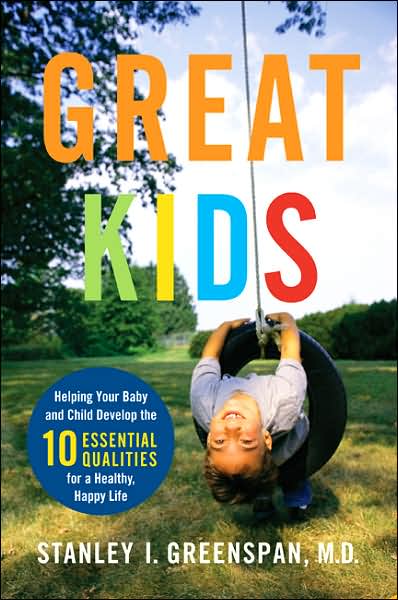
The Chicago Tribune ran a blurb on a new book, Great Kids: Helping Your Baby and Child Develop the Ten Essential Qualities for a Happy, Healthy Life.

I haven't read the book yet, but check out this list of "Ten Essential Qualities":

1. Engagement (relating to others)
2. Empathy
3. Curiosity
4. Communication
5. Emotional Range
6. Genuine Self-Esteem
7. Internal Discipline
8. Creativity and Vision
9. Logical Thinking
10. Moral Integrity

Wouldn't the world be a better place if every person had these ten qualities? I can use this list to focus on what traits I am encouraging and rewarding in my middle school students.

I'm glad he wrote the book, but wouldn't it be great if we didn't need it? It seems childrearing used to be intuitive, but now requires explicit instructions to avoid raising a menace to society.

Two of the most powerful ideas I ran across in this article were:
1. Learning to empathize begins in infancy. Suggest helping him/her tunes into others' feelings by making your feelings clear, in facial expression and voice.
2. Your child will learn ethics from how you treat him/her, not by what you say.

Ain't THAT the truth?!


Thursday, September 27, 2007

Finally Joined YouTube

OK, I did it. I joined YouTube. You'd think as a pseudo-geek, I would have jumped on this earlier, but I finally have my own channel, inspired by my kid blog.

YouTube is interesting. Yes, if you are not careful, you will find yourself surfing videos of laughing babies, dancers in banana suits, and the latest variation of Charlie the Unicorn. However, as I have said before, I have used it extensively for science and media literacy lessons in grades 1 through 8.

So I wonder why, when the first time a student asked me if he could use YouTube as a source for a class project, my gut reaction was, "no." When I thought about it for a minute, I changed my mind. YouTube is almost a philosophical extension of Wikipedia. And I decided to treat it as such. Sure, the student can use it as a source. But, like any article on Wikipedia, they must double-check their facts on another reputable source. However, how valuable was it for them to watch and interview with Barack Obama, or to hear a theremin played? Certainly more so than merely text and still images could provide.

One concern is that students may quickly fall off task, or be subjected to inappropriate language in the comments section. This just seems like a teachable moment (at least at the middle school level) regarding media literacy and responsible internet use.

Sadly enough, my old district banned both YouTube and Wikipedia in its schools. I wonder if this is a positive move or a disservice to the students. Social networking sites and wikis are not going away... shouldn't we embrace the opportunity to teach the kids to use these tools responsibly instead of taking them away?

Anyway, back to YouTube, someone should have warned me. Once I signed up, I got this message in the second box below. Wow. Harsh. :)

Wednesday, August 29, 2007

Review of iMovie '08 ... the Shock of My iLife!

I was so excited. I unwrapped my new Macbook Pro ceremoniously, reverently hit the power button and waited with anticipation. I had worked with iMovie for years, and was especially pleased with iMovie '06. Now, I would have my first look at the newest version of iMovie. When my dock appeared, I was pleasantly surprised by the slick new icon.

As I opened up the program, I was a little awed at the total transformation. My simple little program screen had turned into a completely different movie app.

However, as I navigated around the new program, I thought: Apple, what are you thinking?

I have used iMovie for years in the classroom. It is simple and offers many options for kids to create quite polished products. Some of the better features of iMovie 06 include:

  • Timeline view
  • Multiple audio track editing
  • Themes
  • Many editing options (transitions / titles / Video FX like reverse & slow)
  • Ability to open more than one project at a time, and copy & paste clips
  • Exporting selected clips only
I also liked:

  • DVD chapters and integration with iDVD
  • Option for third party plug-ins
However, guess what is missing from iMovie 08?

  • Timeline view
  • Multiple audio track editing
  • Themes
  • Many editing options (transitions / titles / Video FX like reverse & slow)
  • Ability to open more than one project at a time, and copy & paste clips
  • Exporting selected clips only
  • DVD chapters and integration with iDVD
  • Option for third party plug-ins
And the worst part? iMovie 08 CAN'T OPEN older iMovie projects. Apparently, iMovie 08 is a stripped-down version of 06, perfect for beginners, or people looking to throw together a 2 minute YouTube video. (Read this blogger's top 10 features missing from iMovie 08.) However, I almost wept as I thought of the years of video projects I have made with my students: V-show productions, Greek Myths, the Virtual Digestive System, not to mention all of the projects they did just for fun. Was my digital video life destined to fall prey to limited creativity in the name of efficiency?

To be fair, some people like the improvements. MacWorld calls it "the iPhoto for movies." There is more color-correction and cropping options, and no rendering time when you add effects. Also, it can input a wider variety of video formats. But, that's about it. Some people theorize that Apple wanted to prevent iMovie from competing with Final Cut Pro. Other people recognize the good along with the bad.

When I recovered enough to open up a new tab in Firefox, I read that many people are outraged. Thankfully, Apple offers a free download of iMovie 06. (CORRECTION 3/21/09: The download is no longer available as iMovie 09 is released.)

I can breathe again.

Sunday, August 26, 2007

Content Cake and Technology Frosting

My last post reminded me of one of my favorite teaching "rules." I love introducing technology to my classes. However, it is inevitable that the "bells and whistles" will draw kids' attention away from the content.

So, a few years ago, we came up with the "cake and frosting" analogy. The content is the "cake." Obviously, if the cake is terrible, I don't care how good the frosting is, people aren't going to eat it. And, if you are planning on handing me a plateful of frosting without any cake, I am going to be rather offended.

We go on to discuss that you can make some frosting ahead of time, but it needs to stay in the fridge until the cake is ready to be frosted. If you focus too much on making the frosting and don't pay attention to the cake, it can burn or collapse and you'll have to start over.

Once they have a good cake, they can decorate with "frosting" (the effects, comedic interludes, or (shudder) "bloopers".) However, we discuss how the best cakes have simple, well chosen frosting for dramatic effect. (In fact, when the class and I create a rubric together after viewing previous student work, they almost always add a requirement to "limit random distractions." However, once they actually begin a project, they see how tempting it is....)

With every technology project I have implemented, I have had open lab time and often I am shooing kids out of the room at 5 pm, 6 pm and even later. They put even more effort into their content, so that they can add the "fun stuff" later. In fact, my kids have (on average) put more creative effort into digital projects than anything they've turned in on paper.

Of course, the kids take the analogy as far as they can. For instance, one kid tells me, "my sister likes to scrape the frosting off the cake and eat it by itself." I tell them that after they finish the cake for me, they are welcome to scrape off the frosting and post it on YouTube...

Saturday, August 25, 2007

Teaching with Tech: Does it Work?

A recent article on MSN.com asks, "Are students in the digital age getting dumber?" Tom Oppenheimer, author of The Flickering Mind: Saving Education From the False Promise of Technology, is quoted throughout the text and he believes technology is wasting our kids' time and energy. I agree that the article brings up some valid points, but I believe teachers have been dealing with similar issues in different formats for years. The article claims:

  • Technology, such as Powerpoint, results in kids creating weak and inaccurate content, while spending an inordinate amount of time on graphics that don't matter.
  • IM lingo is a problem in today's schools.
  • Laptops in the classroom actually interfere with student learning.
Weak, inaccurate and time-wasting? It certainly is easier to copy and paste information from the web, rather than laboriously copy text from an encyclopedia by hand, however, I can argue that my own classmates and I produced reports in which they "didn't absorb" the material either. Kids' learning is dependent on their investment, whether by hand or machine. If they don't care about the learning, they often won't care about the accuracy either. (The "let's just get this over with" mentality.) And, one only has to look as far as the file cabinets of saved class materials in college frats to realize that cheating existed well before the existence of term paper sites. These problems have been here for a while. Now that it is even more convenient for students to be lazy, educators need to be even more aware of student involvement and ownership.

Think back to all the reports you wrote as a kid. I was a good student, and I remember writing reports on the sun, medieval entertainment, leaves, and the state of Arizona (or was it Arkansas?). What do I remember from these reports? The posters I made, the pictures I colored, the poster I created. I don't remember a thing about Arizona or Arkansas. I don't believe it is only technology that tempts kids to "spent nearly twice the time working on the graphics than ... researching the report." I refer to this as the cake and the frosting. My kids know what I mean.

But, what I DO like about technology is that is levels the presentation playing field. I remember back to one of the first iMovie projects I incorporated into my science class in 2002. The day before the students were to share their work, one of my special education students said to me, "This is the first time I am proud to show off my work because it looks as good as everyone else's." Here was a kid with a written expression disability who spent years seeing his written work hung up next to all the rest. He volunteered to share his iMovie first.

IM is a problem? Mignon Fogarty, author of Grammar Girl’s Quick and Dirty Tips to Clean Up Your Writing, believes that when kids text habitually, they in effect train themselves in writing a form of shorthand. "They'd be tempted to use it on their homework and exams. They might even slip into using abbreviations unconsciously." Again, I think it is up to educators (and kids) to know the difference between formal and informal writing. It's all about communication.

A student recently emailed to me, ""...prolly you would yell at my grammer but then again u dont teach LA." This email was informal. He clearly communicated his point to me in his message. He has never "unconsciously slipped" in his formal writing (homework, lab reports) for me. Why? Because he is conscientious enough to differentiate between formal and informal language. He cares enough consider his audience and the situation for his writing. I have no problem with IM. I do struggle with student apathy. As adults, we know the difference between writing a grocery list and a legal document. We talk differently socializing with our peers than talking with our grandmother. Kids can be taught an appropriate audience and situation for their IM-speak. Oppenheimer says, "There’s no job in the real world that allows writing in IM lingo." Sure there's not... yet.

Laptops are distracting? The article quotes a study in which laptop-equipped students, "On average, the students spent 17 minutes out of a 75-minute class doing activities not related to class work." Umm... that's not a problem limited to laptops. Un-engaged students are distracted by passed notes, open windows, shiny objects, and their own thoughts.

None of these problems are new. I think it is easy to "blame" technology. Students will learn when they are engaged and invested. In my opinion, technology is a tool to increase student engagement. Educators and students must use it effectively. Just as I would never put in a 50 minute video and sit at my desk during a class period, neither would I set up situations in my classrooms where technology will be a crutch to facilitate sub-par learning. Technology isn't the enemy here. Apathy, on the part of students and teachers, is. C'mon ppl, old skool doesnt cut it if we want r kidz 2 learn in 2day's world. :)

Thursday, August 09, 2007

To Filter or Not to Filter?

Blogger Andy Carvin writes about his recent experience in which he invited to give a presentation to a group of "educators, historians and media professionals participating in their annual summer educational institute." (There's a link to the presentation in the post - interesting stuff!) He clicked to show a visual on YouTube and it was "flagged as inappropriate" and blocked!
The room went totally silent for a moment, then erupted in laughter. Here we were, a group of educators participating in a professional development seminar trying to discuss the role that Web 2.0 sites can play in civic education - at a presidential library, no less - and we were denied access to the information and tools we needed to have that discussion. My hosts at the library did their best to override the filters, but no one could figure out how to do it. I literally had to pantomime some of the video clips to give them a sense of what I was going to show them - and obviously, I couldn’t do any of them justice. One teacher then offered a tip to the group: if you ever get blocked, ask your students for help - they can show you a number of ways to get around the filter and access YouTube.

It's that teacher's comment that impacts me the most. S/he's right. By middle school, most kids can get around the filter. So, when no one is watching, they are accessing whatever content they want. And, all it takes is a "clear history" to outsmart the next most popular parent/teacher content-checking "trick." On the other hand, the kid who researching breast cancer or sex discrimination is blocked.

And, I've had it work the other way as well. While looking up an image of a medieval plant used for cosmetic purposes, our "filtered" Google Images pulled up a woman who no doubt had a botanically-inspired stage name. Oh yeah, and she was not even wearing a fig leaf to cover up.

In Carvin's case, a single video** was flagged for inappropriate content, but the story brings back my reoccuring fear that our district might soon chose to block YouTube. After all, they have already blocked a variety of social networking sites, including MySpace. There is certainly enough non-academic material on YouTube to warrant a filter, however, I've often used the site in the classroom to teach about topics including the theremin, cicadas, electric cars, and more. It helps bring in items that are too expensive and/or difficult to bring into the classroom. The multimedia is a nice (and free) addition to plain text resources. Another benefit is the ability to quickly assemble clips from opposing viewpoints to begin a discussion on media literacy. And, honestly, sometimes it's just plain fun.

Filtering cannot be the only answer. There is no substitute for pre-screening materials and supervision. I would never blindly search for clips in front of a classroom, nor would I allow my students to use the Internet without circulating and monitoring their usage. Another post discusses a recent U.S. Senate Hearing , in which the committee chair speaks against relying on technologies, like filters, to protect our kids.
Rather, our efforts must rely on a multi-layered strategy – one that teaches our children about safe and responsible online behavior; one that encourages industry action to develop tools that will aid parents in their efforts to restrict inappropriate material from their children’s access; and one that relies on swift and certain action by law enforcement officials in finding and punishing those who would use the Internet to harm children.

We cannot rely on filters alone. We need to teach kids responsible, ethical use of the Internet. As a middle school teacher, I know we cannot shelter them forever, so we might as well teach them how to navigate responsibility. And, if educators are committed to this goal, it needs to become part of the curriculum. (In my new position this fall, I am excited to have the opportunity to develop such a focus.) Additionally, everything we teach kids about responsible use, media literacy, and safety is applicable in also other areas of their lives. I think the senator has the right idea.

** CORRECTION 8/10: I misunderstood. It ends up ALL YouTube videos were blocked. That's exactly what I fear.

Wednesday, July 18, 2007

Why Teachers Should Travel

As I pulled up my Chicago roots and headed out west for new adventures, I learned why people say "getting there is half the fun." Granted, there is a whole lot of South Dakota that isn't much fun, but overall I had an amazing and satisfyingly geeky trip.

At one point during the long drive, a friend and I got to talking about teachers travelling. He mentioned that the government should subsidize travel for teachers. As continued on my trip, I couldn't agree more. I've taught earth science in 2001, 2002, and again in 2006, and I have read a lot of information on plate tectonics and watched a number Discovery Channel specials. However, this hardly compares to the opportunity to being there and experiencing things like lava tubes and thermophilic bacterial mats firsthand. It's the ultimate "hands-on" learning. This trip will make me a better science teacher. If only we could charter a plane for field trips....

I've posted some of the scientific highlights of my trip on my more kid-oriented blog.